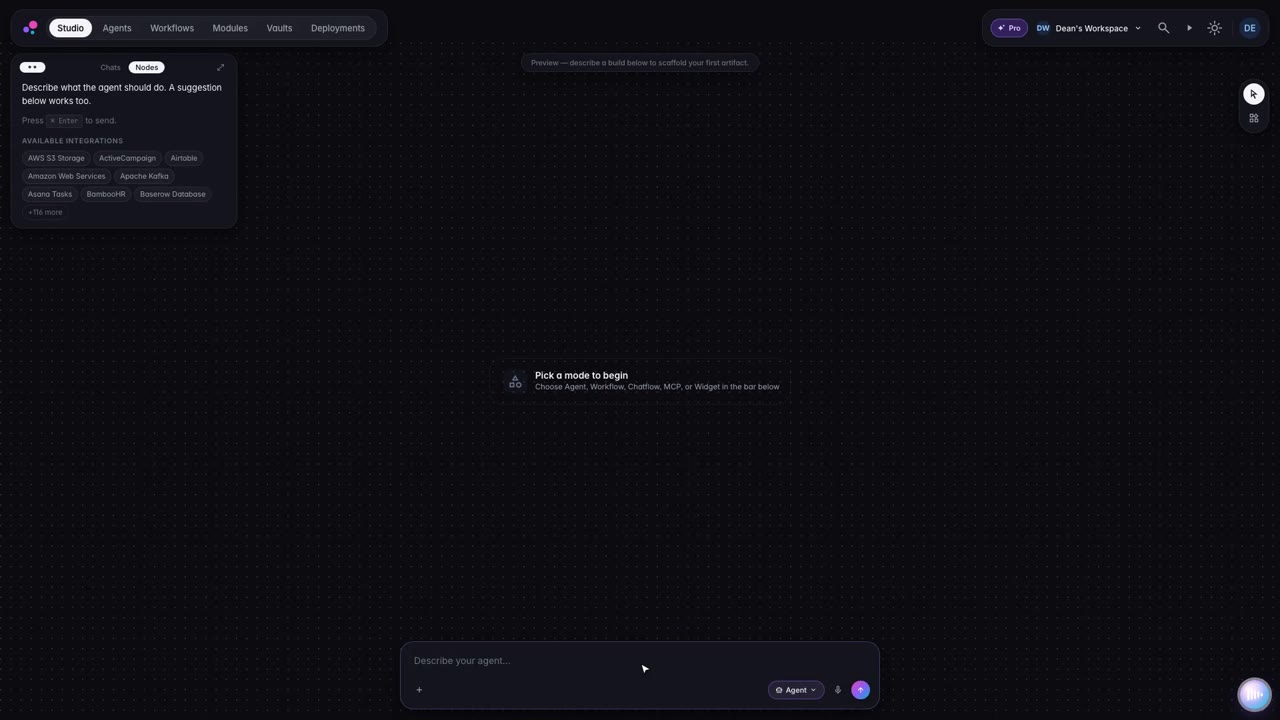
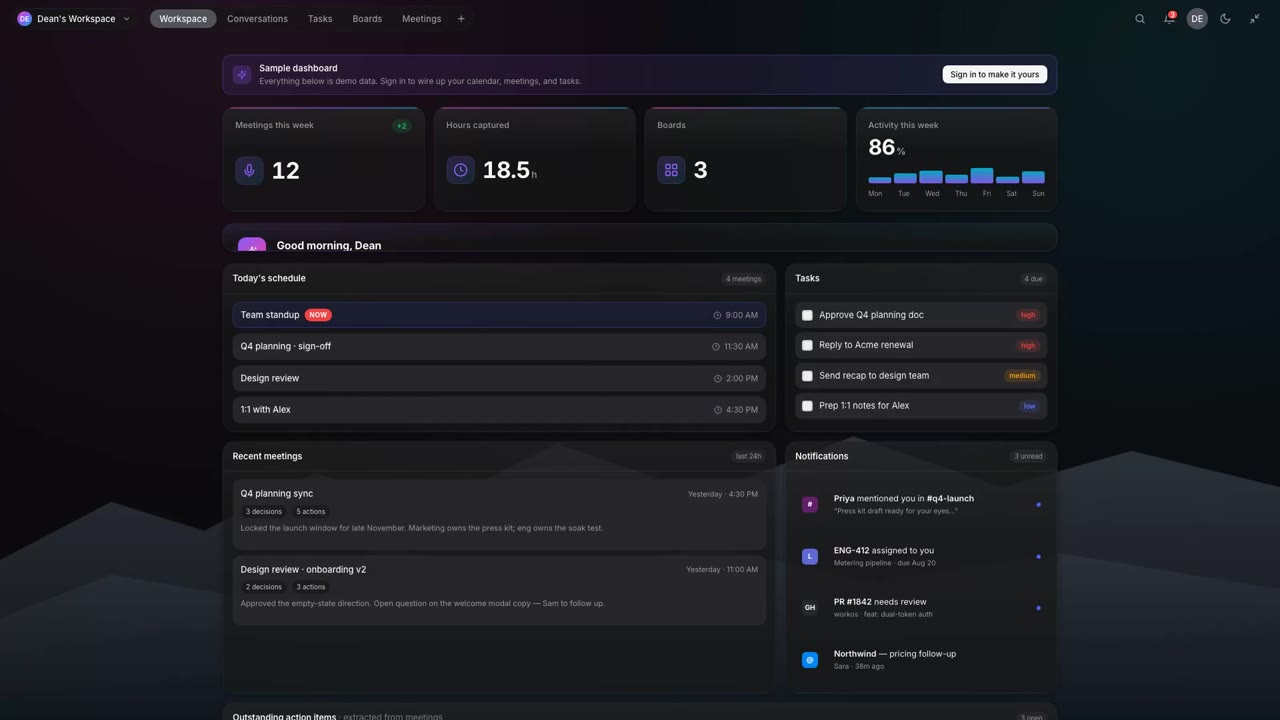
01CapturedNorthwind renewal — noted in the journal
  • Daily record
  • Meetings
  • Tasks & agents
  • Knowledge
  • Guardrails
  • Evidence
An AI workspace for your whole working day

The AI workspace that
writes everything down.

Meetings, notes and jobs done for you — plus a written record of what the AI touched, ready for whoever asks.

Free on one computerLocal-only mode keeps files on your machineMac, Windows and Linux
Lumen
09:41
Lumen
History 248Meetings 32Work 96Decisions 17Identities 312+
Northwind renewal — cap moved to 2× fees
Meeting · 23 min ago
Northwind_MSA_v4.pdf
Document · 3.5 MB
Decision · indemnity clause back by 30 September
Extracted · 19 min ago
svc-ingest-07 — 3 hops to regulated store
Mesh · flagged
Q3 board brief drafted
Task · on-device
policy · contract data stays local
Enforced · 312 denied

Every assistant takes notes.
This one keeps the receipts.

01

It writes the day up itself

At the end of the day the entry is compiled from what actually happened — your meetings, messages, documents and the jobs you handed over. Nobody sits down to reconstruct it.

02

Every answer shows its working

Ask a question and the reply comes back with the meeting, entry or file it was drawn from — down to the page. You can check it rather than trust it.

03

You decide what it can see

A collection is the set of files an assistant is allowed to read. It can read nothing outside the one you hand it, and you can see exactly what that is.

04

The record leaves with you

Export the whole thing whenever you like — including the day you decide to use something else. It was always yours.

AI turned up at your company on its own.

In a browser add-on somebody installed. In a tool that grew a new button last Tuesday. On a laptop, at eleven at night, with a client’s contract pasted into it.

The usual response is a policy nobody finishes reading and an approval queue everybody walks around. Niello takes the other route — it sits underneath the work, so the work keeps its own record.

01Daily record

Your day, written up while you work

By Friday, Tuesday is a blur, and the notes that would remind you are scattered across four apps and two notebooks. Lumen writes the day up for you — from your meetings, messages, documents and agent runs — and reads it back in plain English.

  • On-device transcription. Recorded, indexed and searchable without leaving the machine.
  • Open loops surfaced. The pricing decision that has slipped three days running, named.
  • Ask it anything. Answers cite the entry, the meeting and the file they came from.
Explore Lumen Desktop →
Lumen
DiaryDayWeekMonth
Files · on device
Thursday 30 July0 entries · 62h of transcript
Landed the connector credential fix and got it green in prod — but the pricing decision slipped again.
1 shipped2 decisions pending4 open loops
Deep focus
4h 12m

+48m vs avg

Meetings
0

1h 55m

Switches
0

high — 11 apps

Decisions
0

1 logged, 1 open

How the day went

You opened with two uninterrupted hours on the connector credential bug — the one swallowing manual connections since Monday. Standup ran short. The pricing page moved again; that is the third consecutive day, and it is now the oldest open loop in your diary.

Recorded on request
Pricing review
14:00 – 14:523 speakers
TranscriptSummaryActions
ELI don't think we can defend twenty-five for a team seat when the free tier does most of what a small team needs.
YOFair. Then the question is what we pull out of free, not what we charge for team.
MASo we're not deciding today. I still need a date for the page though.
✦ Ask about thisTime Machine
Lumen · Diary — 214 days written, every word held on device
02Meetings

Leave the meeting with the actions already written

Someone always half-listens because they are the one taking notes, and the follow-ups still go missing by Thursday. Lumen captures the meeting, writes the transcript as people speak, and separates what was decided from what was merely discussed.

  • Local capture. Nothing appears in the participant list and no recording leaves the room.
  • Live summary. Decisions, dates and risks pulled out as they are said.
  • Owners attached. Every action lands with the name of whoever committed to it.
See how meetings work →
Lumen
WorkspaceConversationsMeetingsWork
Search… ⌘K
Today · 25 Apr3 meetings · 2h 15m

Standup

9:30 – 9:52 AM · 22m◉ Local capture
Engineering blockers · connector credential fix shipped · sprint planning…
Ready3 notes

Q3 board prep

11:00 AM · 35m↥ Uploaded
Walkthrough of the exposure summary and the supplier diff…
Ready8 notes

Northwind renewal

2:00 – 3:20 PM · 1h 20m◉ Local capture
Liability cap moved to 2× fees · indemnity clause due 30 Sept · EU residency flagged as a risk…
Ready12 notes
Meetings · Today
Northwind renewal
25 Apr, 2:00 PM1h 20mLocal capture
✦ Ask LumenShare
SummaryTranscriptActions
23:341:20:00
✦ Summary
  • Sara accepts the cap at 2× fees if the term holds at three years.
  • Indemnity clause must be restored before 30 September.
  • Marc flagged the EU residency commitment as at risk.
SAWe can live with the cap at 2× fees if the term stays at three years.
DMThen I need the indemnity clause back before 30 September.
Lumen · Meetings — the real product surface, themed to this layer
0
Meetings captured this week
0h
Transcript held on device
0
Bots in your calendar
03Tasks & agents

Hand over the busywork, keep the final say

Half the week goes on jobs that are repetitive but too consequential to hand to just anyone. Describe the outcome in a sentence and Lumen drafts the steps, runs them, and holds before anything that touches a customer or costs money.

  • Gated actions. The agent drafts the quote, then stops before sending. Always.
  • Full working shown. What it read, what it matched, why it chose that band.
  • Approve, stop or take over. Three buttons, no mystery.
Explore agents & workflows →
Lumen
BoardsSolutionsAgentsWorkflows
Group by · Solution
Quote turnaround41 outcomes this month
Queued · 1
Workflow
RFQ #8821

Waiting for a slot

Working · 2
Agent
Pricing lookup

Reading the 2026 rate card

Workflow
RFQ #8817

Drafting the quote

Needs you · 1
Agent
Quote drafter

Stopped before sending

Wants to email the quote to procurement@northwind.com — £48,200, 14-day terms.
ApproveStopReview
What it has done
Read the RFQ6m
Northwind — 14 line items
Looked up pricing5m
2026 rate card · 14/14 matched
Applied volume discount4m
8% — band C, over 500 units
Stopped before sendingheld
Sending email is a gated action
Deliverable
Quote — Northwind RFQ #8821.pdf

Drafted, not sent

Approve & sendTake over
Lumen · Work — the agent holds at the gate, and shows its working
04Knowledge

Lumen only reads the files you choose

The worry with any assistant is not what it can do — it is what it can see. A collection is simply the set of files an agent is allowed to read, and an agent can read nothing outside the collection you have handed it.

  • Collections and Spaces. Group files once, then hand a collection to an agent — or don't.
  • Indexed on the machine. Files you attach in chats or add to a knowledge base live here, locally.
  • Integrations. The eleven places your day actually lives so Lumen can reach your data.
  • Capture from phone. Photograph a page and it joins the same index.
Explore the knowledge base →
Mesh
Live agentsDevice activityFindings
Trace an action…
✦ Key actions — Ana
  • Worked mainly in the intake queue, clearing three pending referrals.
  • Hit one blocker — an eligibility check timed out on #4821.
  • Exported the approval summary to the shared drive.
  • No policy violations; one USB device connected and blocked.
Activity trace11 actions
Opened the intake portal09:14
Safari · new tab
Clicked Intake queue09:15
MediTrak
Typed referral approval note09:18
42 keystrokes · redacted
Reviewed Referral #482109:22
MediTrak
USB device connected09:31
Blocked by policy — external storage
Exported approval summary09:44
→ shared drive · permitted
Managed device
Ana Ruiz
Intake Coordinator
◉ Active nowMacBook ProManaged
6h 12m

Active today

418

Actions traced

7

Apps used

1

Blocked by policy

▶ Replay dayReport
Mesh · Activity — the trace, with policy decisions marked in line
05Guardrails

Your rules, applied before anything leaves

Most controls tell you what went wrong after it went wrong — a report on Friday about a decision made on Monday. Here the rule is checked at the boundary on every request, so the decision is made before the data moves.

  • Dry-run first. See what a rule would have blocked last month before you enforce it.
  • Reaches the device. The same rule decides which models Lumen even offers.
  • Residency and class. Regulated data simply cannot reach a hosted model.
Read the control model →
Mesh — policyEnforcing
# evaluated on every request
policy contract_data_stays_local {
  when classification contains "supplier_terms"
  allow models where residency == "on_device"
  deny egress; log evidence
}
48,201 evaluated today312 denied
0
Requests evaluated today
0
Denied at the boundary
0
Workflows broken by the rule
06Evidence

Proof of what happened, collected as it happens

When someone asks who approved what, on what basis, the answer is usually a fortnight of screenshots and chased emails. Every decision the boundary makes is recorded as it is made, and mapped to the frameworks you already report against.

  • Continuous. Immutable and timestamped, generated from real activity.
  • Gaps stated plainly. What is not yet covered is shown, not glossed.
  • Yours on the way out. Export the whole record if you ever leave.
Explore Mesh →
Mesh — evidence
EU AI Act — Art. 12 record-keepingevidence mapped
ISO 42001 — 8.3 AI system operationevidence mapped
SOC 2 — CC6.1 logical accessevidence mapped
NIST AI RMF — MAP 3.4evidence mapped
ISO 42001 — 9.2 internal auditpartial
◆ Export as an auditor-ready pack
Evidence is mapped to these frameworks. Niello is not currently certified against them.
Integrations

Connect your calendar, inbox and tools

Your diary, your inbox, the channel where the decision was made and the folder the document ended up in. Lumen reads them where they sit, so a briefing or an answer comes from the real thing rather than a copy that went stale a fortnight ago.

A connector never widens what an assistant can see. Each one is fenced by the collection you hand it, and the same rules that decide which models your people may use decide what a connector may do.

Connecting a live account is rolling out. The rest of Lumen works today without any of them.
All 11Calendar & meetings 5Email 2Messaging 1Files & drive 2Notes & docs 1
Google CalendarCalendar & meetings

Google Calendar Preview

Auto-capture meetings and surface upcoming events on your dashboard.

Microsoft Outlook CalendarCalendar & meetings

Microsoft Outlook Calendar Preview

Sync Outlook events and deliver meeting summaries.

Google MeetCalendar & meetings

Google Meet Preview

Join meetings and receive recap notes from Meet.

Microsoft TeamsCalendar & meetings

Microsoft Teams Preview

Meeting capture, transcription, and chat context for Teams.

ZoomCalendar & meetings

Zoom Preview

Join meetings and get Zoom meeting summaries.

GmailEmail

Gmail Preview

Summarize threads and draft replies without leaving Lumen.

Outlook MailEmail

Outlook Mail Preview

Outlook inbox summaries and quick replies.

SlackMessaging

Slack Preview

Mention Lumen in channels and catch up on threads.

Google DriveFiles & drive

Google Drive Preview

Reference and search documents stored in Drive.

Microsoft OneDriveFiles & drive

Microsoft OneDrive Preview

Reference and search files across OneDrive.

NotionNotes & docs

Notion Preview

Pull page context and draft updates into Notion.

Nothing cut

Forty-six things it does, in six groups

The redesign did not quietly drop features to make the picture tidy. Every part of the product still has a home, sorted into six groups by what it is for. Pick a group to see what belongs to it.

Material
AuroraObsidianVoid docked
Mode
MeetingsInterviewCo-pilotStandardControlTranslate
All 46Conversations 11Meetings 4Work 10Knowledge 11Policy 6Evidence 4
01 Conversations

Assistants

Chat with any model. @ to select a model, / to include tools — with sources on the answer.

01 Conversations

Topics & Topics Search

Every conversation kept as a topic, searchable across messages.

01 Conversations

Memories

Store and manage what the assistant knows about your interactions — add, edit, delete, filter and search.

01 Conversations

Journal

The day written down as you live it, with the decisions and open loops pulled out.

01 Conversations

Notes

A rich editor with slash commands, LaTeX and images. Names itself if you'd rather.

01 Conversations

Translation

Translate documents and live conversation between languages.

01 Conversations

Images

Generate and edit images across multiple providers.

01 Conversations

Selection Assistant

Select text anywhere and act on it without leaving the app you're in.

01 Conversations

Floating window

The composer over everything you do — one keystroke in, one keystroke out.

01 Conversations

Wake word Opt-in

Go hands-free — summon Lumen with your voice, no clicks and no shortcuts.

01 Conversations

AI Buddy

A persistent companion surface that follows the work rather than the window.

02 Meetings

Meetings

Document every meeting, plan ahead, never miss a follow-up. Live transcript, summary and actions.

02 Meetings

Record On device

Capture what you do, review it step by step, then replay it — and turn a recording into a workflow.

02 Meetings

Upload

Bring in an existing recording and it joins the same index as anything captured live.

02 Meetings

Calendars

Connect calendars so briefs are ready before the room, not after it.

03 Work

Boards

Plan, track and visualise work across Kanban and spreadsheet views.

03 Work

Tasks

Describe the outcome; Lumen drafts the plan, runs it and reports back.

03 Work

Agents

Handle complex tasks with various tools — and stop at gated actions.

03 Work

Workflows

Draft a workflow from a description, then run it on a schedule.

03 Work

Journeys

Draft an end-to-end journey with human gates built into it.

03 Work

Workers & Worker Store

Long-running workers you can install, configure and hand a collection to.

03 Work

Builder Experimental

Draft and refine a flow conversationally, step by step.

03 Work

Code Tools

Quickly launch multiple code CLI tools to improve development efficiency.

03 Work

Launchpad

One key away from every surface, agent and saved action.

03 Work

Deployments

Ship an agent or workflow out of the workspace and keep it running.

04 Knowledge

Knowledge Base On device

Retrieval over your own material, indexed on the machine.

04 Knowledge

Collections

The set of files an agent is allowed to read. An agent can only see what is in a collection you have given it.

04 Knowledge

Spaces

Group collections, members and tiers so teams share a boundary rather than a folder.

04 Knowledge

Files

Files you attach in chats or add to knowledge bases all show up here.

04 Knowledge

Filespace

Where the workspace keeps its own storage, and what it is permitted to touch.

04 Knowledge

Integrations

Connect your calendar, inbox and tools so Lumen can reach your data.

04 Knowledge

Capture from phone

Photograph a page or a whiteboard and it joins the same index.

04 Knowledge

Relay

Move context between devices and surfaces without a copy-paste round trip.

04 Knowledge

Browser

A browsing surface inside the workspace, so pages become sources.

04 Knowledge

MinApps

Small embedded apps that sit alongside the work rather than in another window.

04 Knowledge

Library & Marketplace

Applications, bundles, guidance, rules and templates — installed or browsed.

05 Policy

Model routing

Which models are offered, and which are refused, decided before the call is made.

05 Policy

Data Settings

Residency, retention and what may leave the machine — set once, enforced everywhere.

05 Policy

API Server

Expose the workspace's AI capabilities through OpenAI-compatible HTTP APIs.

05 Policy

Backup & Restore

Take the whole workspace with you, and put it back.

05 Policy

Developer Mode

Inspect what the app is doing, including every request it makes.

05 Policy

Experimental Features

Opt in to what is still moving, clearly marked as such.

06 Evidence

Dashboard

The briefing: meetings, hours captured, boards and the week's activity.

06 Evidence

Time Machine

Go back to what the workspace looked like on any given day.

06 Evidence

Trace

Every step an agent took, the tools it called and what it read.

06 Evidence

Device activity

Actions on a managed device, replayable, with policy decisions marked in line.

Forty-six surfaces, six groups, one product. Every screen in the app has a home on this page, so nothing goes missing between what we build and what we show you.
Where the thinking happens

Some work should never leave the building

An AI model is a piece of software that has to run on a computer somewhere. Usually that computer belongs to a supplier — which means the contract you paste in makes a round trip to a company you do not control. Lumen can also run a model on hardware you own. Which option is available to whom is your decision, not a setting each person finds for themselves.

On hardware you own

OllamaLM StudioGPUStackIntel OVMSLocal embeddings
Local-only mode. Switch it on and the sensitive work runs with no network at all.

Hosted, with your own keys

AnthropicOpenAIGoogleAzureBedrockMistraland dozens more
Your accounts, your billing. Bring your own keys; Lumen never proxies them through us.
Two products, one layer

Two halves of the same thing

Lumen looks after the four layers you live in every day, on the machine in front of you. Mesh looks after the two the business is answerable for, across every machine. Same rules, same memory, same record.

Start at the surface. Go as deep as you need.

Lumen is free on one device. Mesh switches on when the estate needs an answer.